Running a golf shop can be a dream job for passionate entrepreneurs. But what happens when the dream starts to fade—sales drop, customers disappear, and expenses rise? If you’re in this situation, you’re not alone. Many small golf shop owners face these challenges, often through no fault of their own. This guide is here to help. In this Ultimate Guide, we’ll walk you through a deep analysis of both internal and external business problems, how to use data (especially from your POS software), and how to implement turnaround strategies step-by-step. Whether you operate a local brick-and-mortar shop or a hybrid store with online orders, this guide is tailored for you.
1. Identifying the Red Flags of a Failing Golf Shop
Before you can fix anything, you need to know what’s broken. Here are the most common red flags:
Many golf shops experience consistently dropping monthly or quarterly revenue. You might also notice decreased customer foot traffic, excess aging inventory that isn’t selling, or negative online reviews and declining social media engagement. Other indicators include unmotivated or disengaged employees and POS software data showing shrinking average ticket sizes or increased refund activity.
Real-World Story: Tom’s TeeTime Golf
Tom, a golf shop owner in Tampa, noticed a 40% dip in revenue over six months. His POS software showed that customer visits were down, refunds were up, and certain product lines hadn’t moved in over 90 days. This realization prompted a full audit that uncovered internal staffing issues and missed marketing opportunities.
2. External Factors Dragging Your Golf Shop Down
A. Market and Economic Shifts
Golf interest, particularly among younger demographics, is changing. A dip in interest or a shift in economic conditions can directly impact your store’s performance. To stay informed, you can use Google Trends to evaluate regional golf interest, census data to determine demographic shifts in your area, and POS sales heat maps to analyze which zip codes your customers are coming from.
B. Declining Foot Traffic
Foot traffic is crucial for discovery and spontaneous purchases. Consider using manual counters or modern smart sensors to track daily visitor numbers. Compare that data with POS transaction times to spot drop-off points. You can also use Google Maps Popular Times and store view analytics to measure visibility shifts.
C. Competitor Mapping and Analysis
You’re not just competing with big box stores. Local pro shops, golf course stores, and online retailers are all part of your competition. Start by mapping your top five competitors. Visit their locations to observe their operations firsthand. Track their reviews, pricing strategies, and service offerings. Online tools like SimilarWeb or SEMrush can help you estimate website traffic for your competitors.
Pro Tip: Use your POS software to determine which product categories have dropped the most in sales. Then compare that data with current promotions from competitors.
3. Internal Issues That Could Be Sinking Your Golf Shop
A. Employee Productivity and Accountability
Unmotivated staff can destroy customer satisfaction and eliminate upsell opportunities. You should use POS metrics to track sales per employee and review timestamps for lateness or idle periods. Evaluate customer interactions using secret shoppers to get an objective view of service quality.
B. Customer Service and Brand Reputation
Customer service directly influences retention. Use review monitoring tools like Birdeye or Reputation.com to stay on top of customer sentiment. Survey your repeat customers through your POS-linked email system, and consider implementing training modules with gamified service scoring to encourage better performance.
C. Mistakes at Checkout and Loss Prevention
Checkout errors can accumulate unnoticed, hurting your bottom line. Audit the frequency of discounts and refunds by user login. Configure your POS settings to require manager approval on high-risk transactions. Periodically cross-check your inventory with recorded sales to catch inconsistencies.
D. Employee Theft or Discount Abuse
Sensitive areas that warrant close attention include no-sale cash drawer openings and excessive use of gift cards or loyalty redemptions. Use your POS software to log every drawer opening and assign user permissions based on job roles.
Tip: Set up alert triggers in your POS software for high-value refunds or frequent discount entries.
4. Evaluating Your Product Mix: Are You Still Relevant?
Golf evolves quickly, with new club technologies, apparel styles, and accessories hitting the market regularly. Use Aging Inventory Reports in your POS to identify items sitting unsold for over 90 days. Survey your loyal customers about what they’d like to see in your inventory. Cross-reference their input with trending gear from major brands like Callaway, Titleist, or TaylorMade.
Don’t forget: Beginners often want affordable gear and starter packs. Make sure your offerings don’t cater exclusively to elite players.
5. Your Online Store Might Be Failing You
A. Website Performance Checklist
Ask yourself: Is your website mobile-responsive? Does it load in under 3 seconds? Are the search and filter tools functioning properly? Most importantly, is your online inventory synced in real-time with your POS software?
B. Improve Your SEO and Listings
Make sure to claim and optimize your Google Business Profile. Add schema markup for your store’s location. Consistently create blog content about golf tips, product reviews, and gear guides to build long-tail SEO.
C. Email and SMS Campaigns
Collect customer emails at checkout and use your POS-integrated CRM to segment them by purchase history. Create email or SMS campaigns to address cart abandonment and promote limited-time offers or seasonal sales.
6. Hosting Events and Creating Customer Experiences
Experience is everything in retail today. You can partner with local courses to offer “Shop + Tee” bundles. Run in-store putting competitions and award gift cards to the winners. Host launch parties for new club models or offer swing analysis clinics with local golf pros.
Track RSVPs and attendee sales through your POS software to determine which events drive the most engagement and revenue.
7. Leveraging POS Software for Full Visibility and Recovery
Your POS software should function as your decision-making dashboard. Use it to track hourly sales and adjust your staffing schedule accordingly. Identify best-selling items by profit margin—not just volume. Review individual customer purchase histories to tailor your promotions more effectively. Implement loyalty and rewards programs and automate low-stock alerts so you never miss a sales opportunity.
If your current POS software can’t do these things, it’s time to upgrade to a solution that supports golf retail specifically.
8. Recovery Plan: 30-60-90 Day Turnaround Framework
In the first 30 days, conduct a full audit of your inventory and POS reports. Review employee performance and offer retraining if needed. Clean up your online presence and start planning your event calendar.
From day 31 to 60, launch a loyalty program to retain current customers. Host your first in-store event to drive excitement. Begin a digital marketing campaign using social media and email. Adjust your product selection based on early feedback and sales performance.
During days 61 to 90, compare your current POS data to the baseline from day one. Reinforce high-performing employees with incentives or recognition. Expand your inventory to include the best-selling and most-requested products. Finally, evaluate your progress and develop your strategic plan for the next quarter.
9. Bonus: Revenue Recovery Calculator (Estimation Example)
Let’s say your shop currently receives an average of 22 visitors per day, and your average ticket value is $48. If you increase foot traffic by just 8 people per day and also raise the average ticket value by $12 through effective upselling, you’ll gain an extra $480 in daily revenue. Multiply that by 30 days, and you could add $14,400 in monthly income.
This simple projection can be a powerful motivator when shared with your team.
10. Common Mistakes to Avoid During a Golf Shop Turnaround
Trying to fix everything at once can lead to burnout and confusion. Blaming staff without investigating POS data leads to misinformed decisions. Ignoring insights provided by your POS software causes missed opportunities. Neglecting digital channels like your website or email marketing can severely limit customer acquisition. Lastly, being reactive instead of proactive leads to constant crisis management instead of strategic growth.
Conclusion: Turn Data into Action
Golf shop recovery is completely achievable with clarity, planning, and the right tools. Using your POS software as your central nervous system allows you to monitor and measure everything from foot traffic and staff performance to inventory movement and customer satisfaction.
Stay focused on elevating the customer experience. Motivate your team with data-driven goals. Execute a tactical plan that evolves based on performance metrics. You’re not just selling golf gear—you’re selling a lifestyle. So make the experience personal, professional, and better than your competition.
Author Bio
Jordan Michaels is a retail turnaround strategist with over 15 years of experience helping small specialty stores—including golf shops—regain profitability through operational audits, staff performance tracking, and advanced POS software integration. Jordan regularly contributes to sports retail publications and is well-known for helping local retailers compete against national chains through smart technology and customer-focused strategy.
Cited Sources
- National Golf Foundation: https://www.ngf.org
- U.S. Small Business Administration (SBA): https://www.sba.gov
- Retail Dive: Specialty Retail Trends 2024
- Lightspeed POS Case Studies: https://www.lightspeedhq.com/customers
- Shopify Retail Blog: https://www.shopify.com/retail
Visuals and Calculators to Include
- A mock POS dashboard showing aging inventory
- A visual timeline of the 30-60-90 day plan
- Infographic: Top 5 revenue-killing mistakes in golf shops
- Interactive or spreadsheet-based Revenue Recovery Calculator
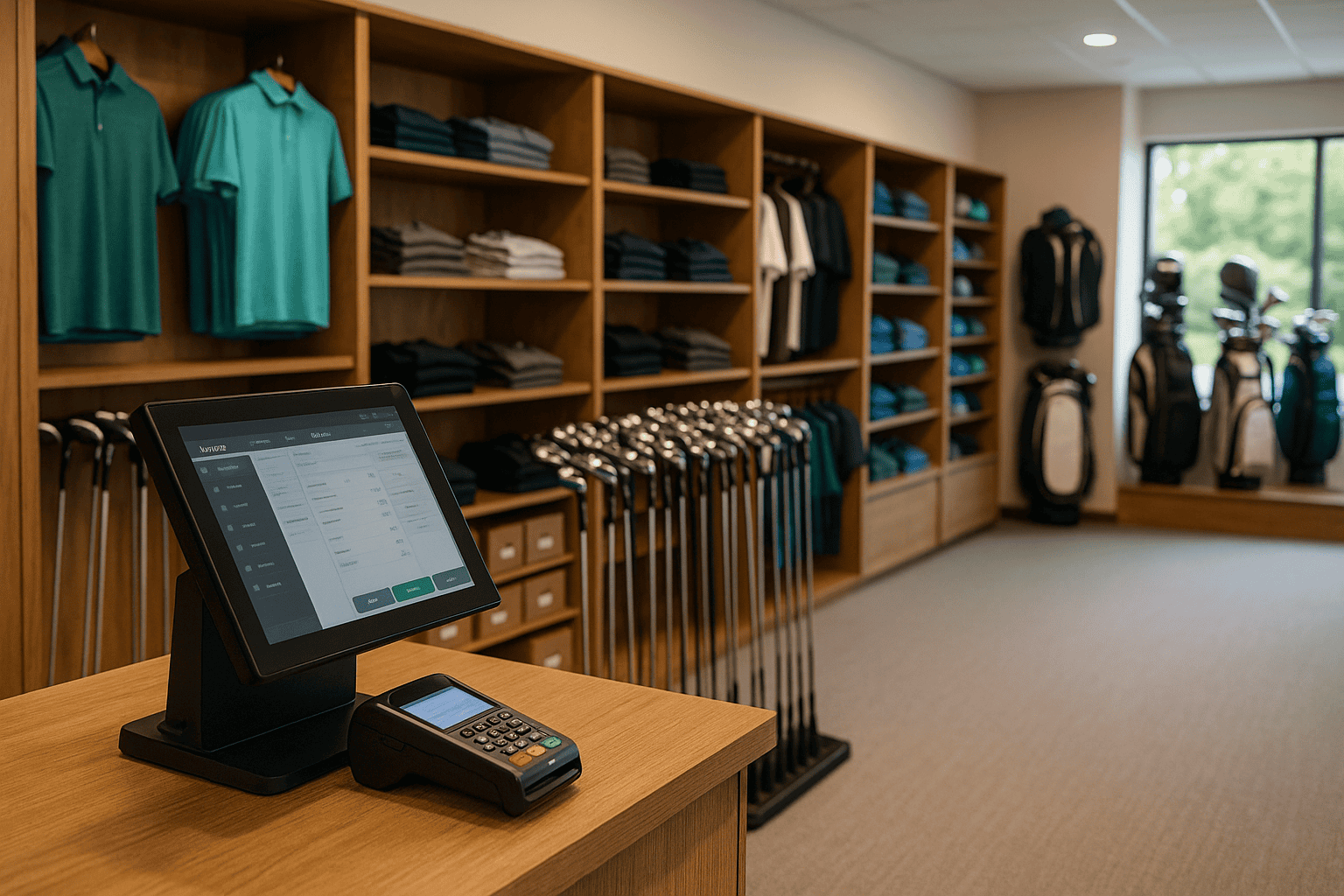
- Photograph of a modern, well-organized golf retail store
- Image showing a satisfied customer being assisted by a knowledgeable staff member
Want help modernizing your golf shop’s checkout and reporting system? Explore our POS software made specifically for small retail businesses like yours.